01 · Vehicles and workshop
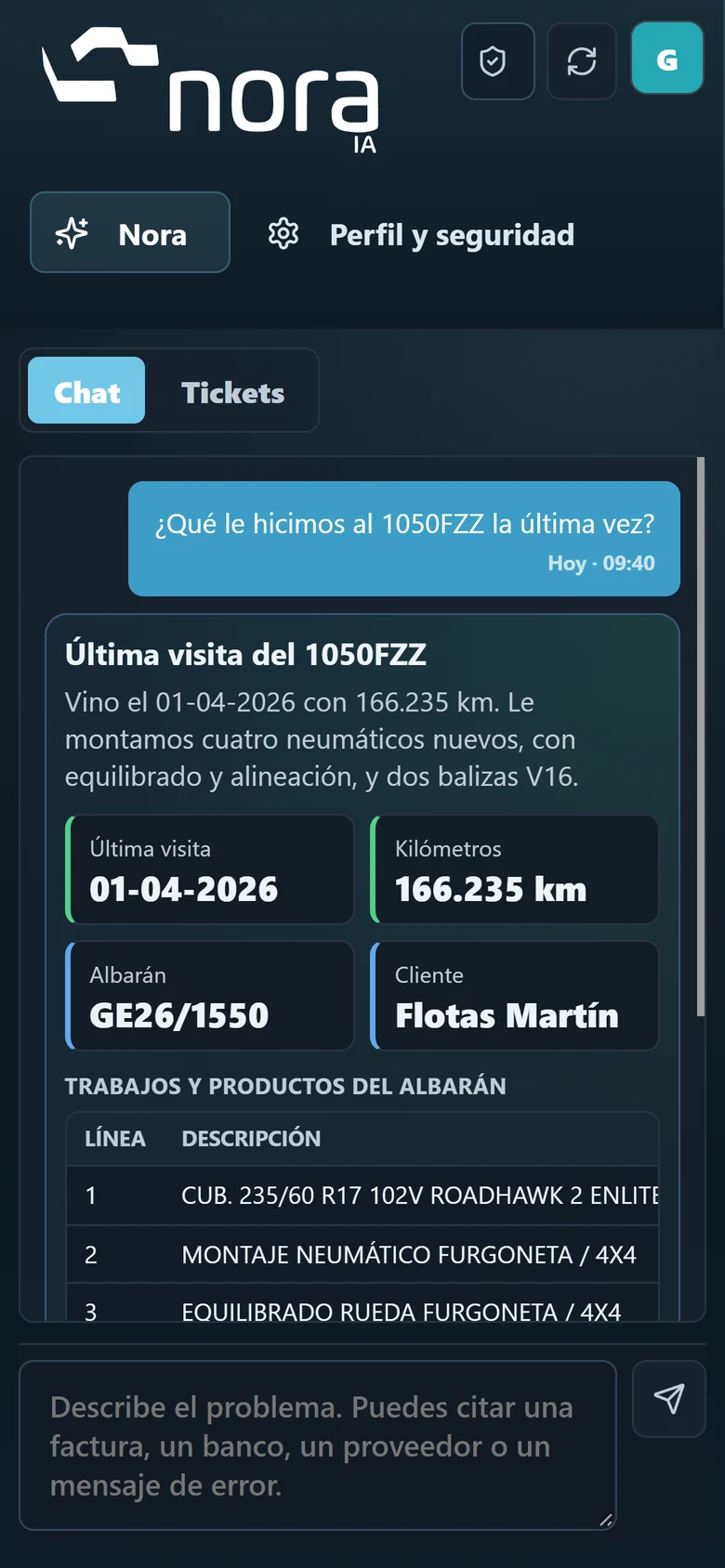
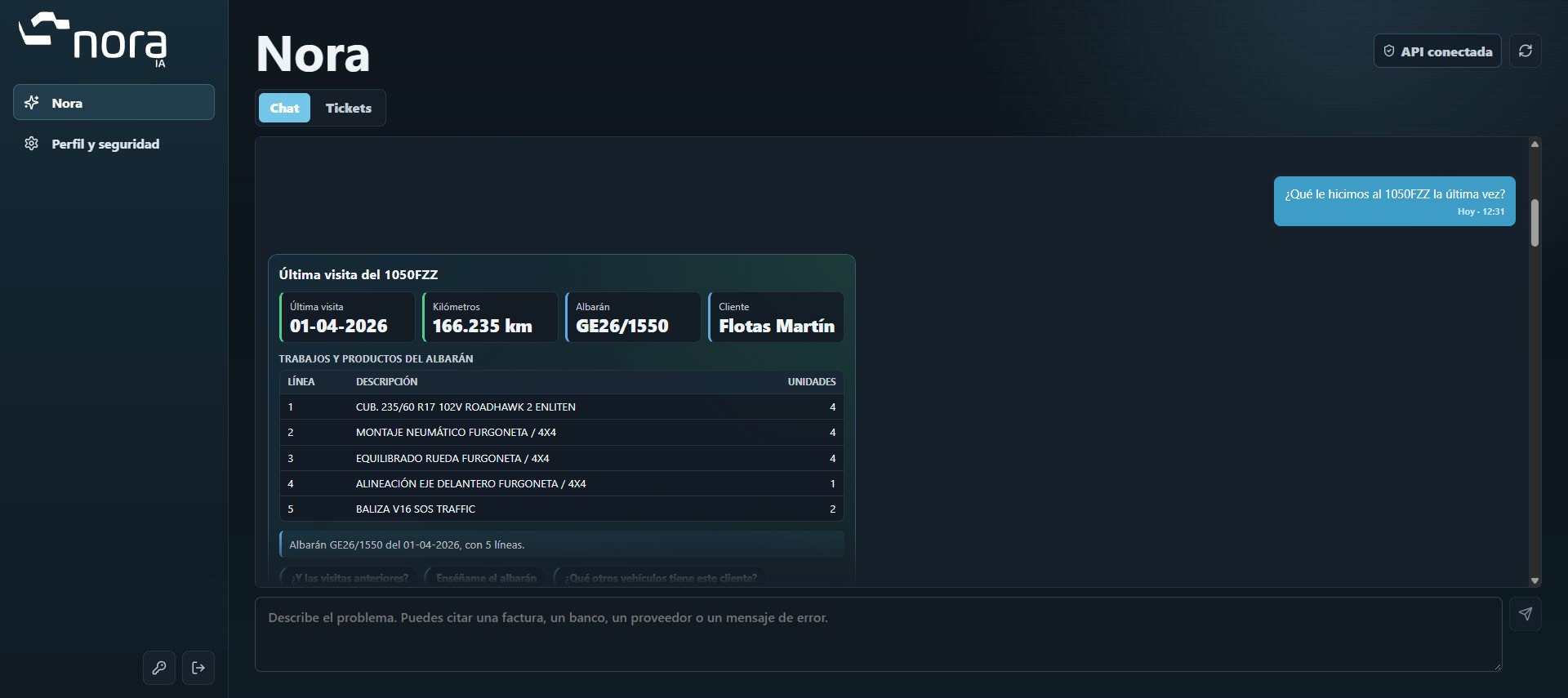
What did we do to 1050FZZ last time?
One plate. Its whole history.
When it came in, its mileage and the lines on the delivery note. And you can carry on: “what about earlier visits?”.


 Artificial intelligence connected with GENES
From invoice to accounting entry. Nora reads your documents, creates them in GENES and reconciles banks and cards, generating receipts, payments and entries. You review and approve.
Infrastructure 4.0

AI document management
Bank reconciliation
Management reports
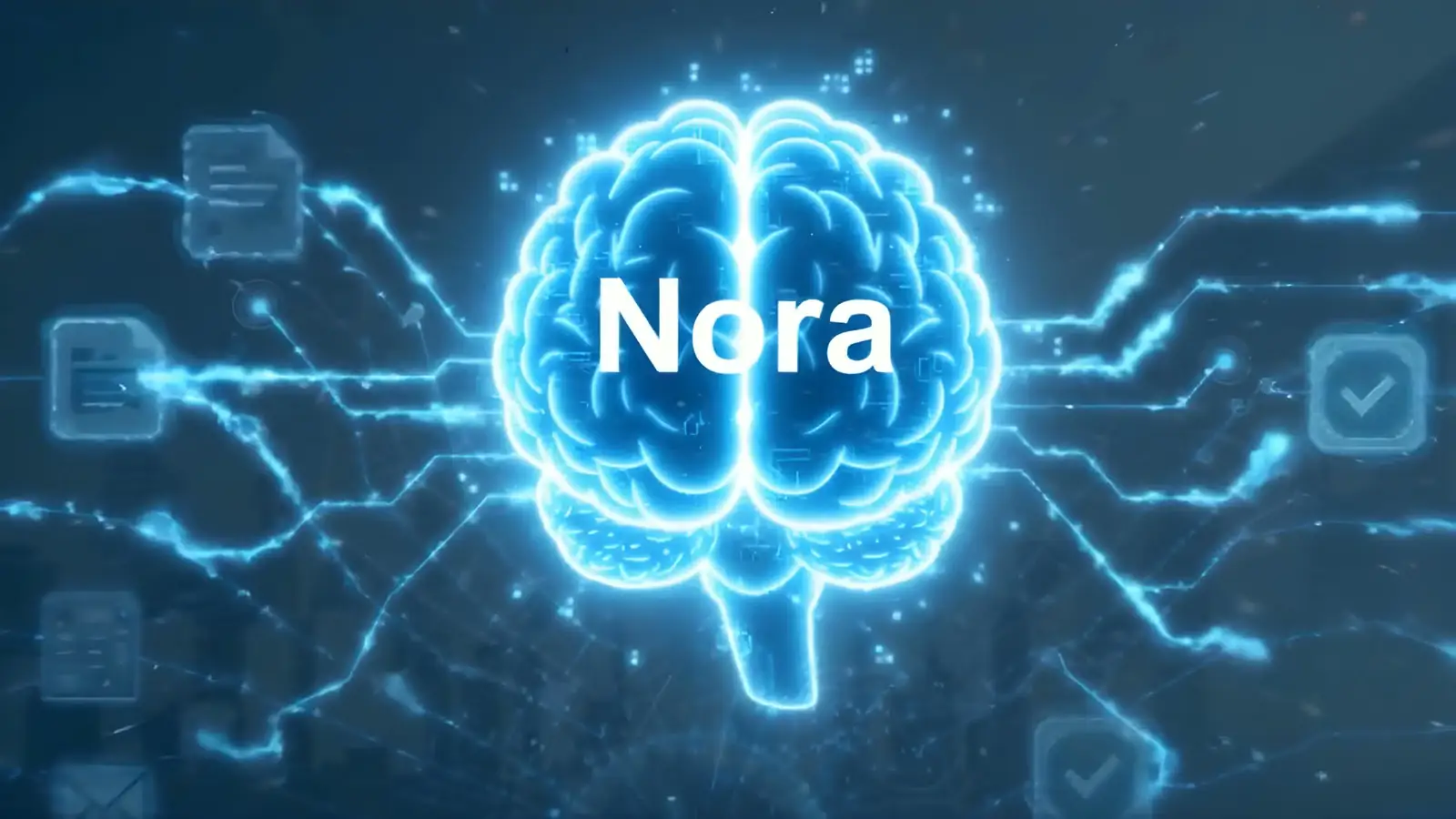
Ask anything you want to know about your workshop, in your own words, and it answers right away. You no longer need to know your way around the software.

 Coming soon
This is how it answers
What did we do to 1050FZZ last time?
When it came in, its mileage and the lines on the delivery note. And you can carry on: “what about earlier visits?”.
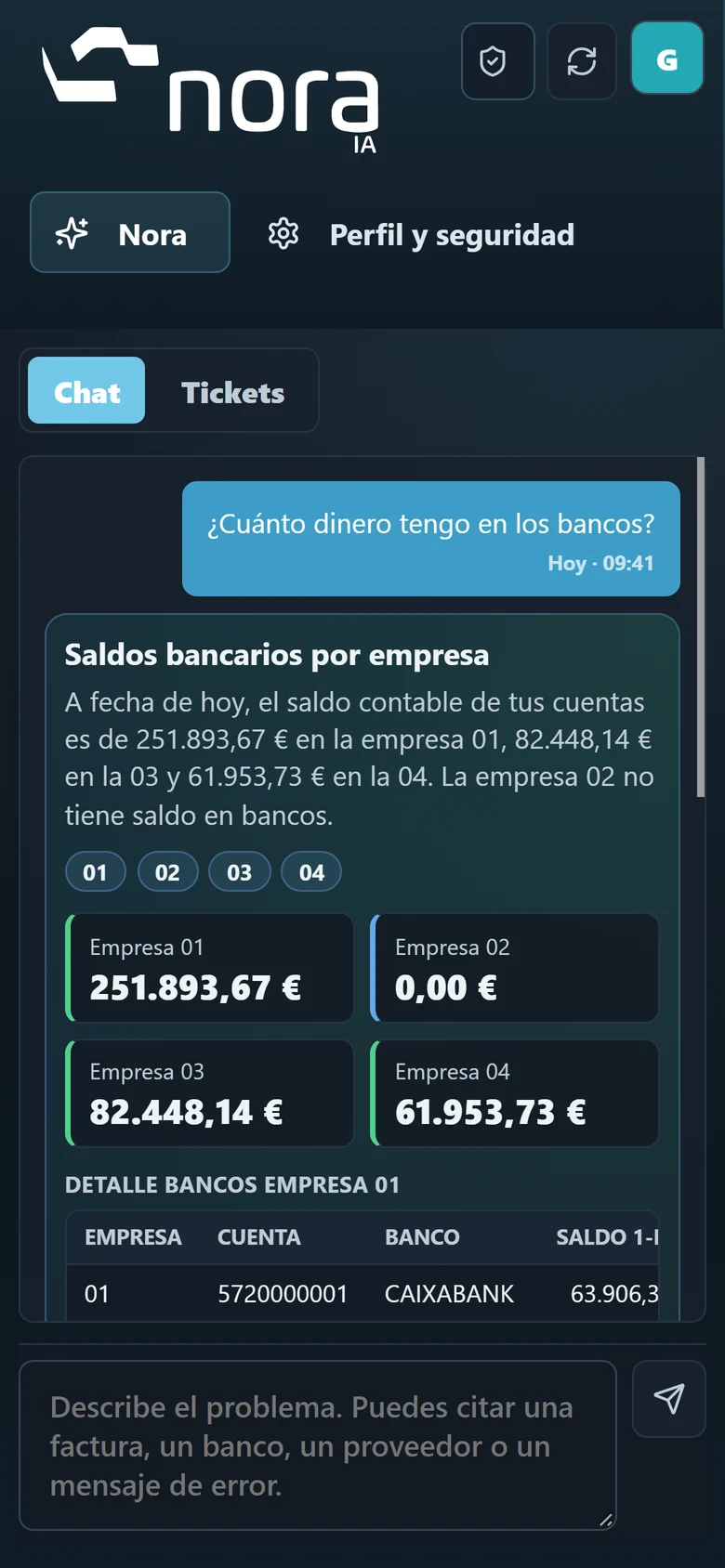
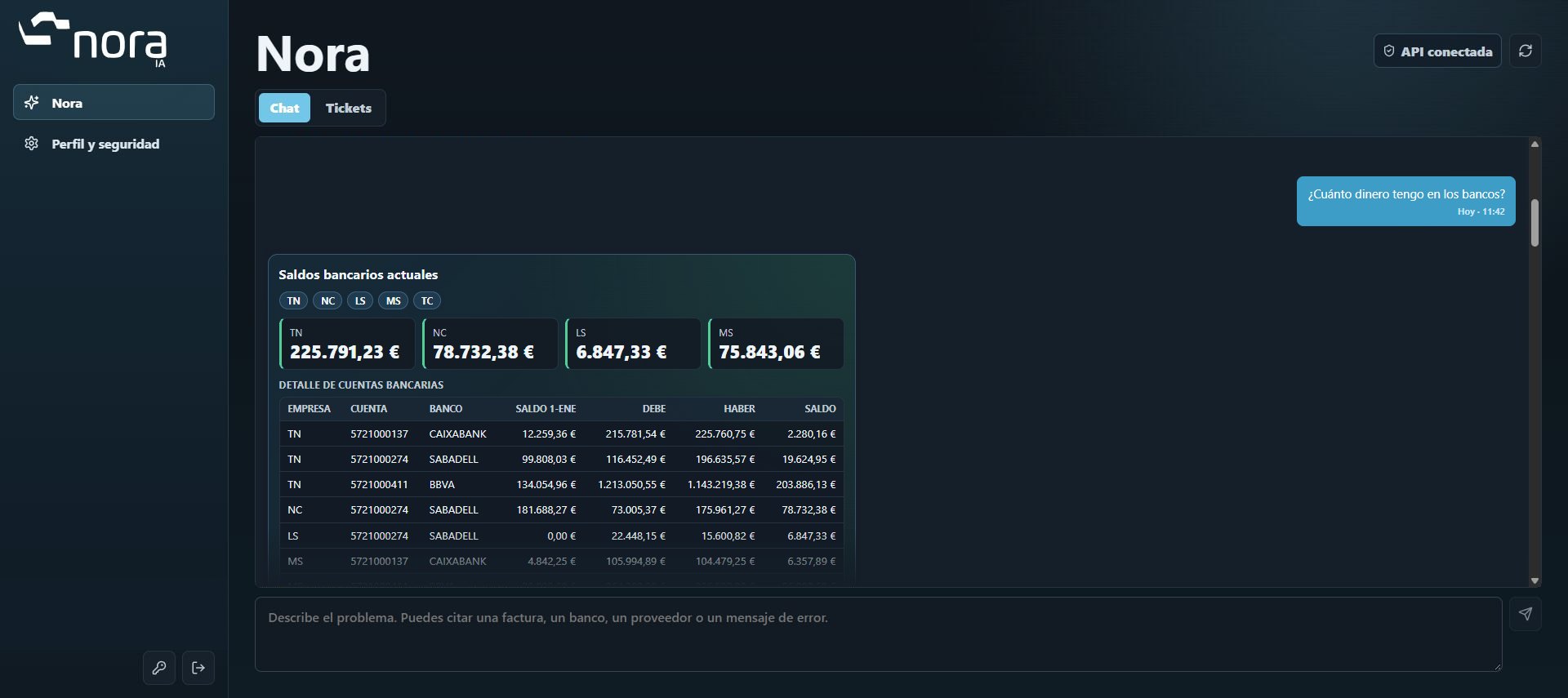
How much money do I have in the bank?
Each company’s and each account’s balance, with what has come in and gone out since January. Want more? “Show me the BBVA transactions since Monday”.
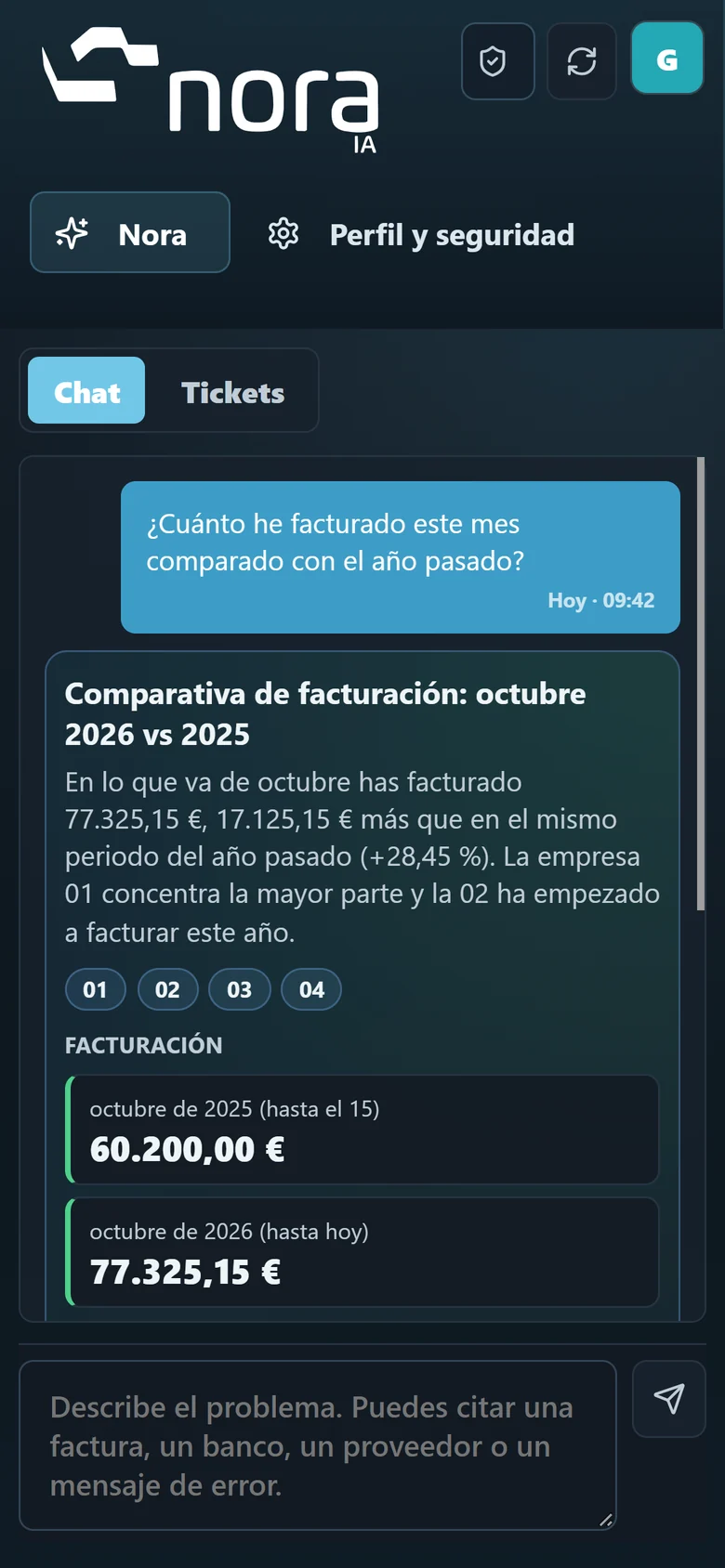
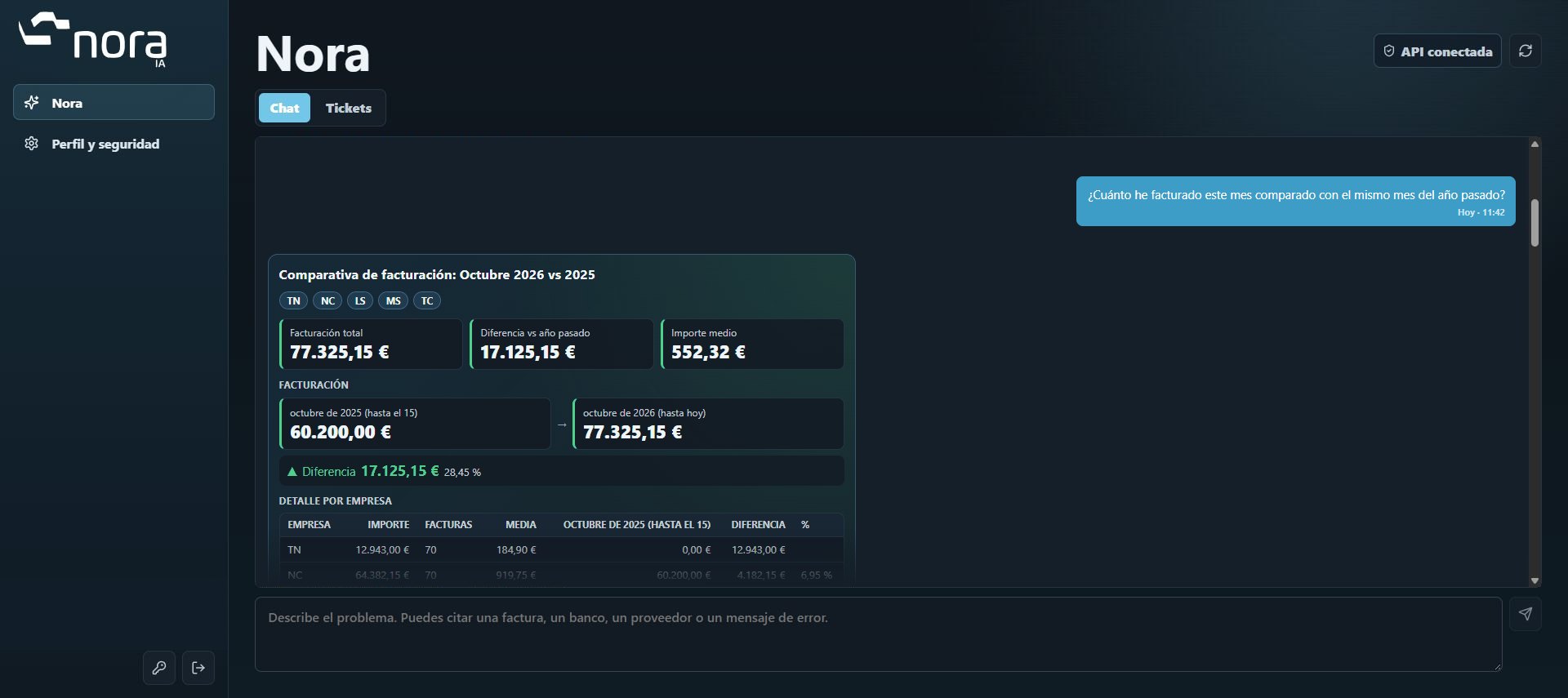
How much have I invoiced this month compared with last year?
Total, difference with last year and average amount. Keep asking: “how much was services?”, “who was my best customer?”.
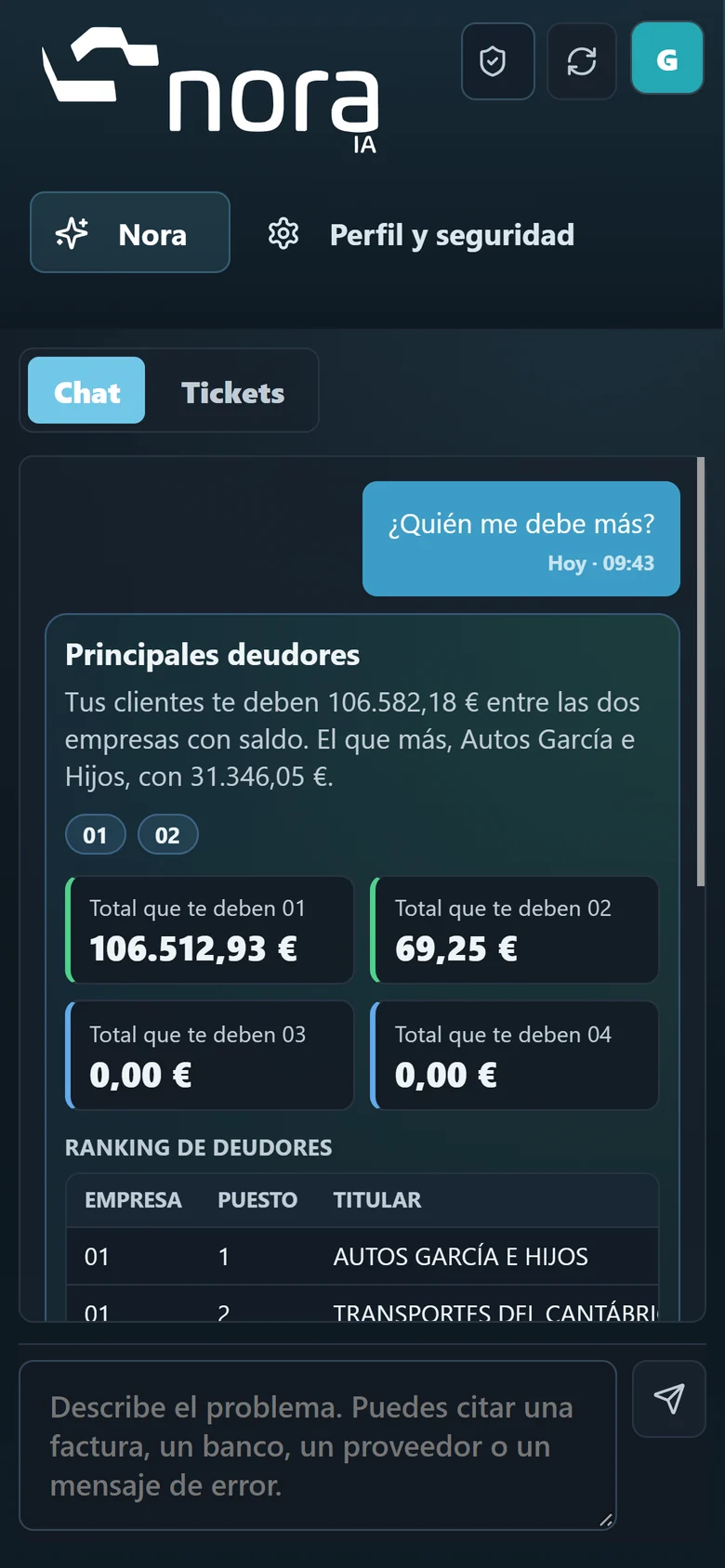
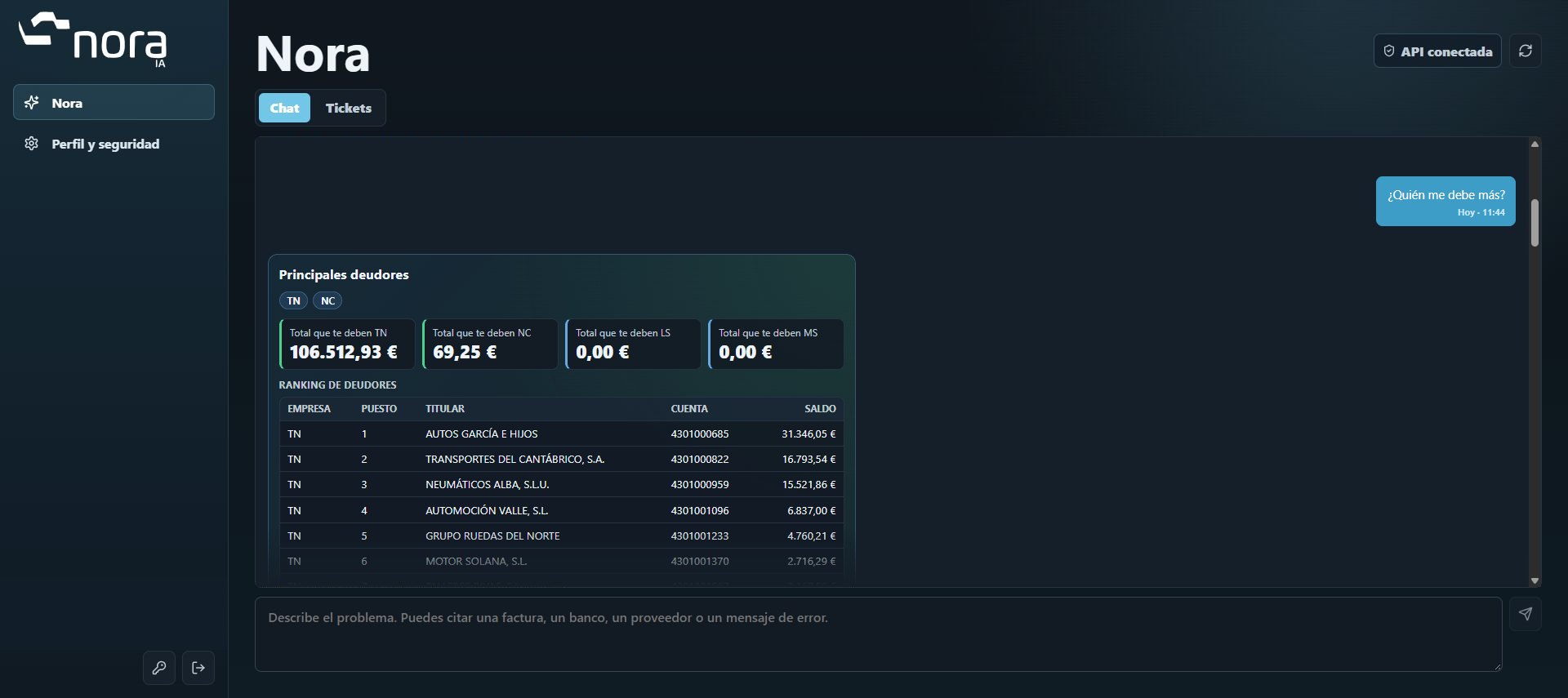
Who owes me the most?
The ten customers who owe you the most, with their account and balance. The other way round too: “how much do I owe my tyre supplier?”.
And much more
Nora Chat images with fictitious data. Interface in Spanish.
It reads the accounts, invoicing and workshop in GENES. No spreadsheets.
Chat questions read GENES; they change nothing.
Nora only answers what your user is allowed to see in GENES.
Coming soonExplore the processes that can free up the most time in your admin. Real screens, with fictional data.
Ask what was done to a vehicle and Nora tells you when it came in, its mileage and the lines on the delivery note.
Each company’s and each account’s balance, with what has come in and gone out since January, according to the accounts in GENES.
Month total, difference with last year and average amount, company by company. And you can keep asking about services or top customers.
The ten customers who owe you the most, with their account and balance. The other way round too: how much you owe a supplier.
Nora receives the document and extracts its information. The inbox lets you follow each invoice; here we see an example already posted.
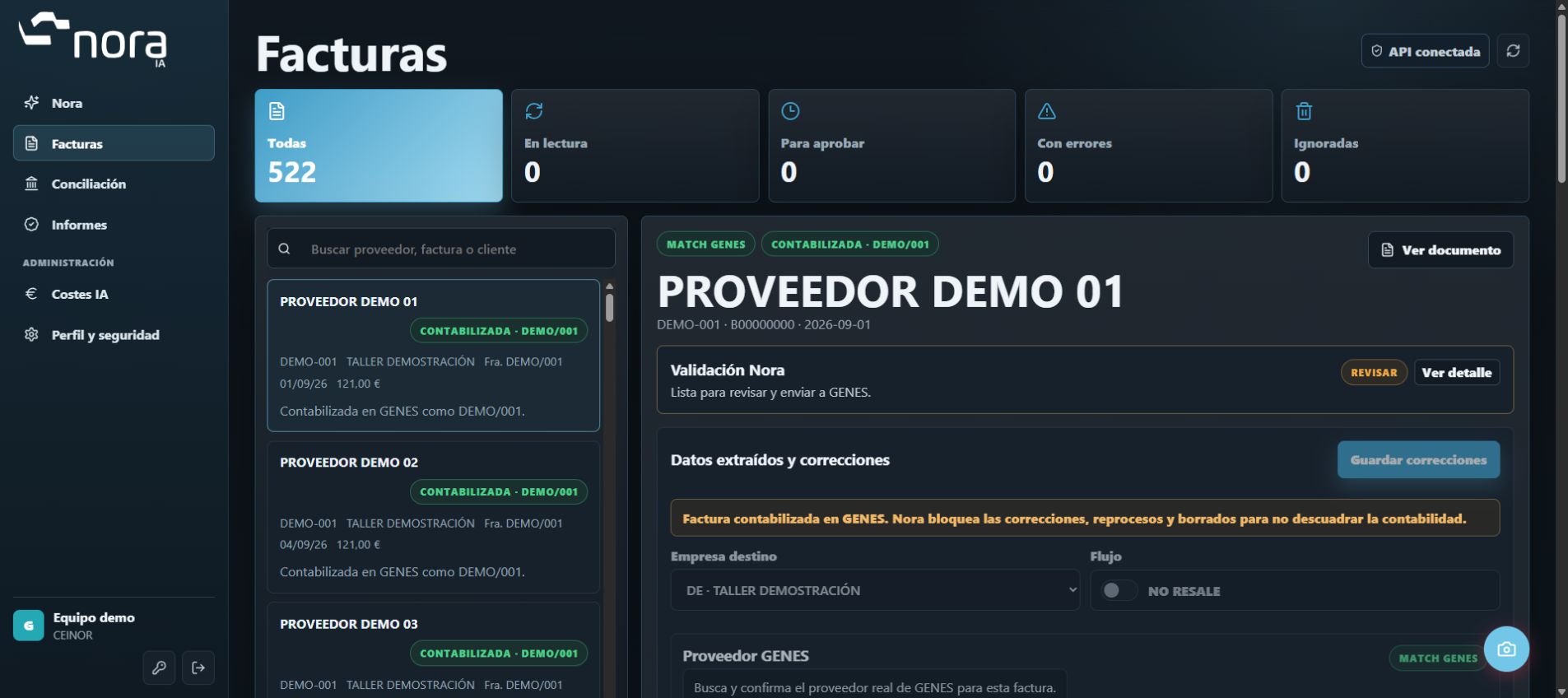
Supplier, invoice number, net, VAT and total, ready for review. Nora looks for the match in GENES.
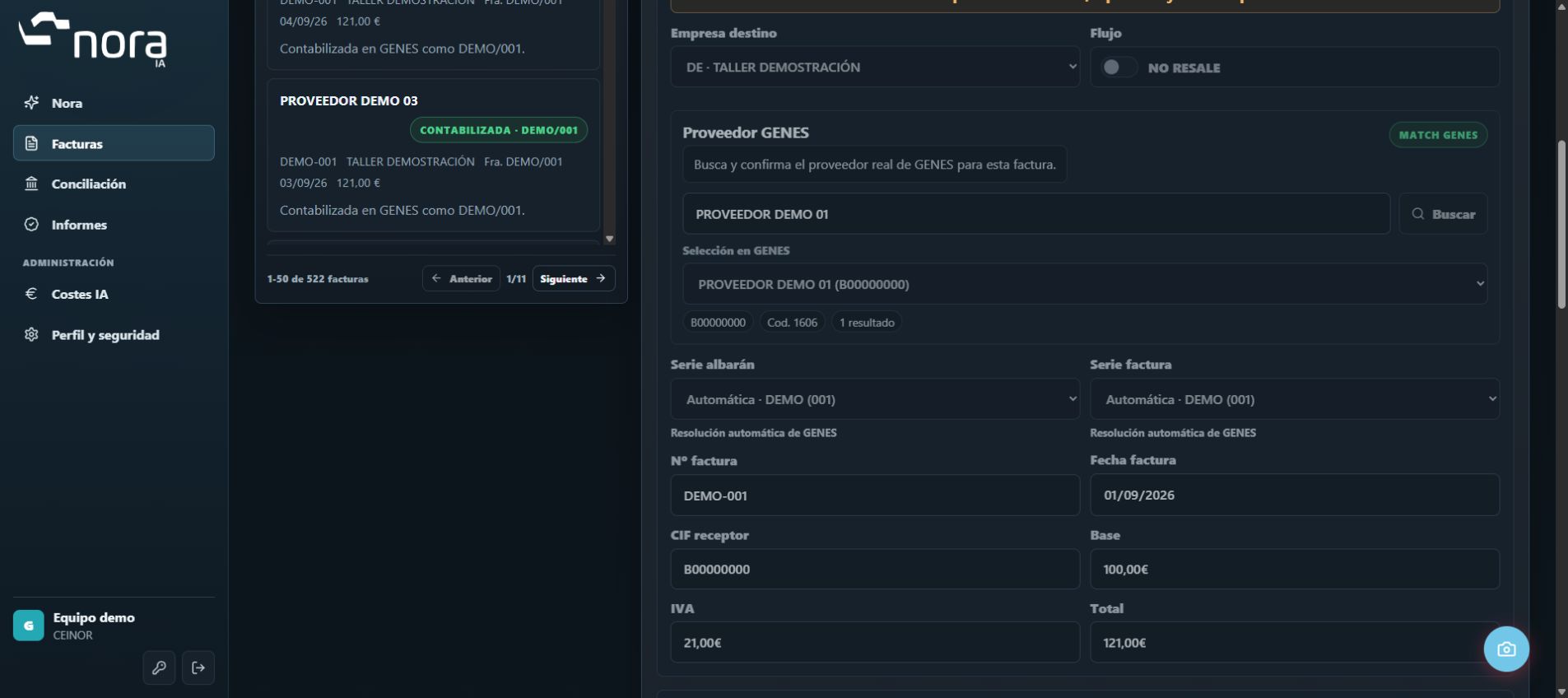
Check the accounts, descriptions and amounts of the draft ledger entry. Approval posts the invoice to GENES according to your company's rules.
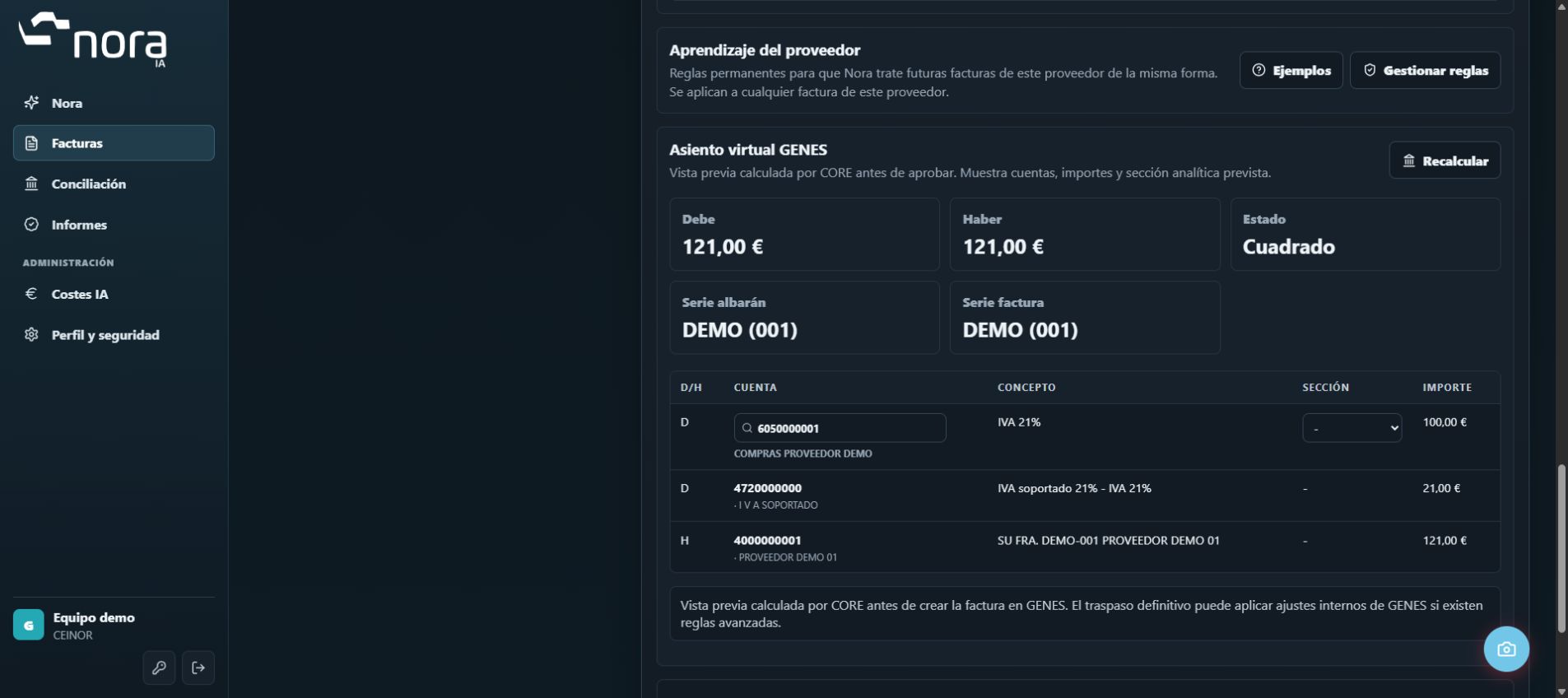
Check synchronised accounts, balances and transactions. This walkthrough shows Santander, Unicaja and BBVA with fictional data.
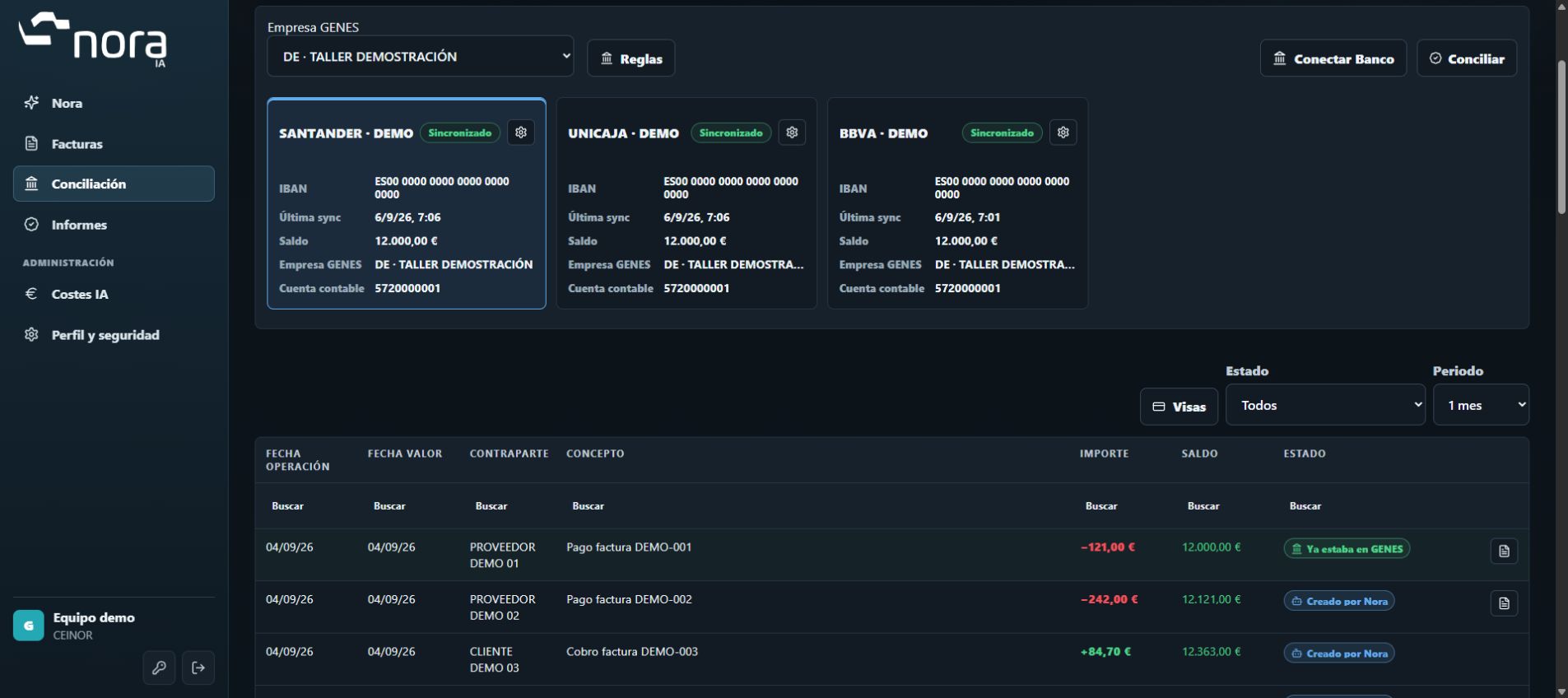
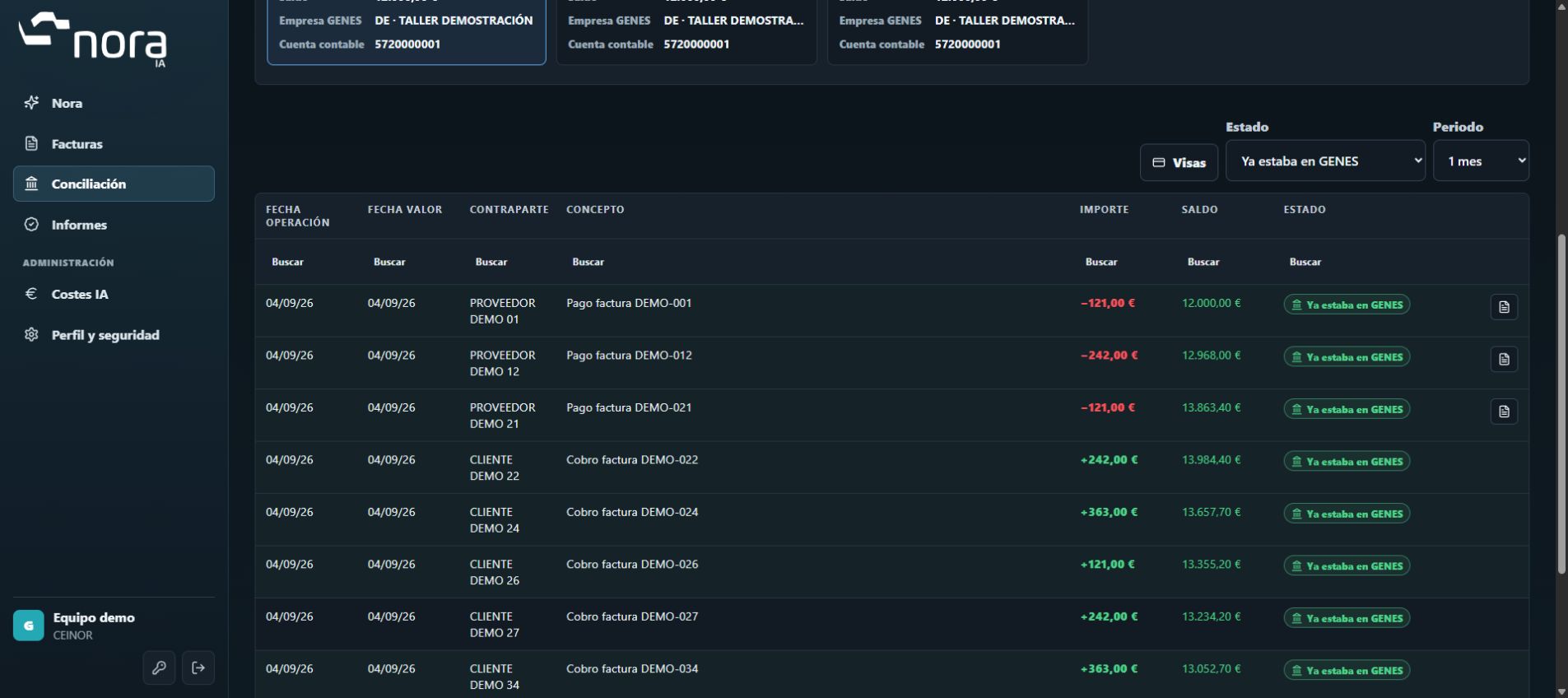
Tell apart the transactions created by Nora from those already recorded in GENES, without losing their context.
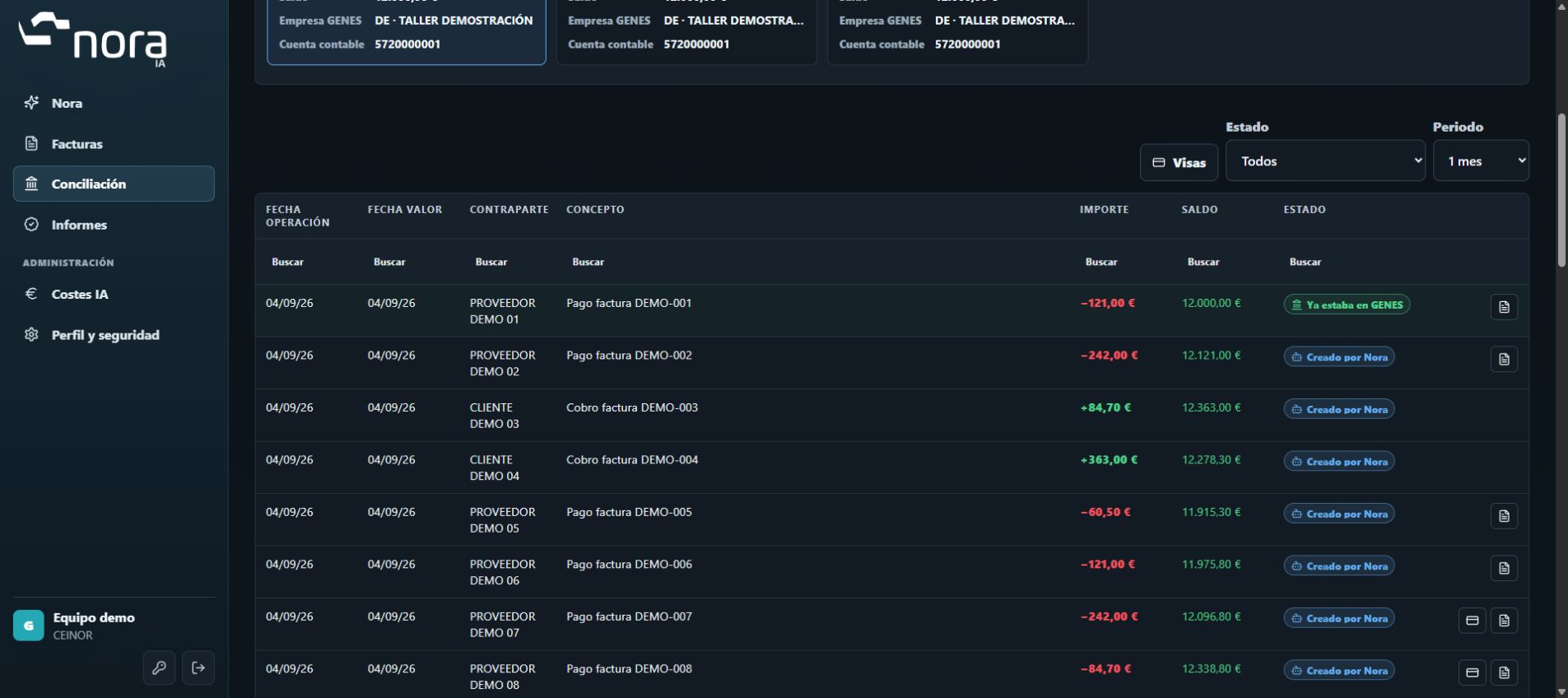
Filter the transactions created by Nora. Automation can generate receipts, payments or ledger entries according to the agreed configuration.
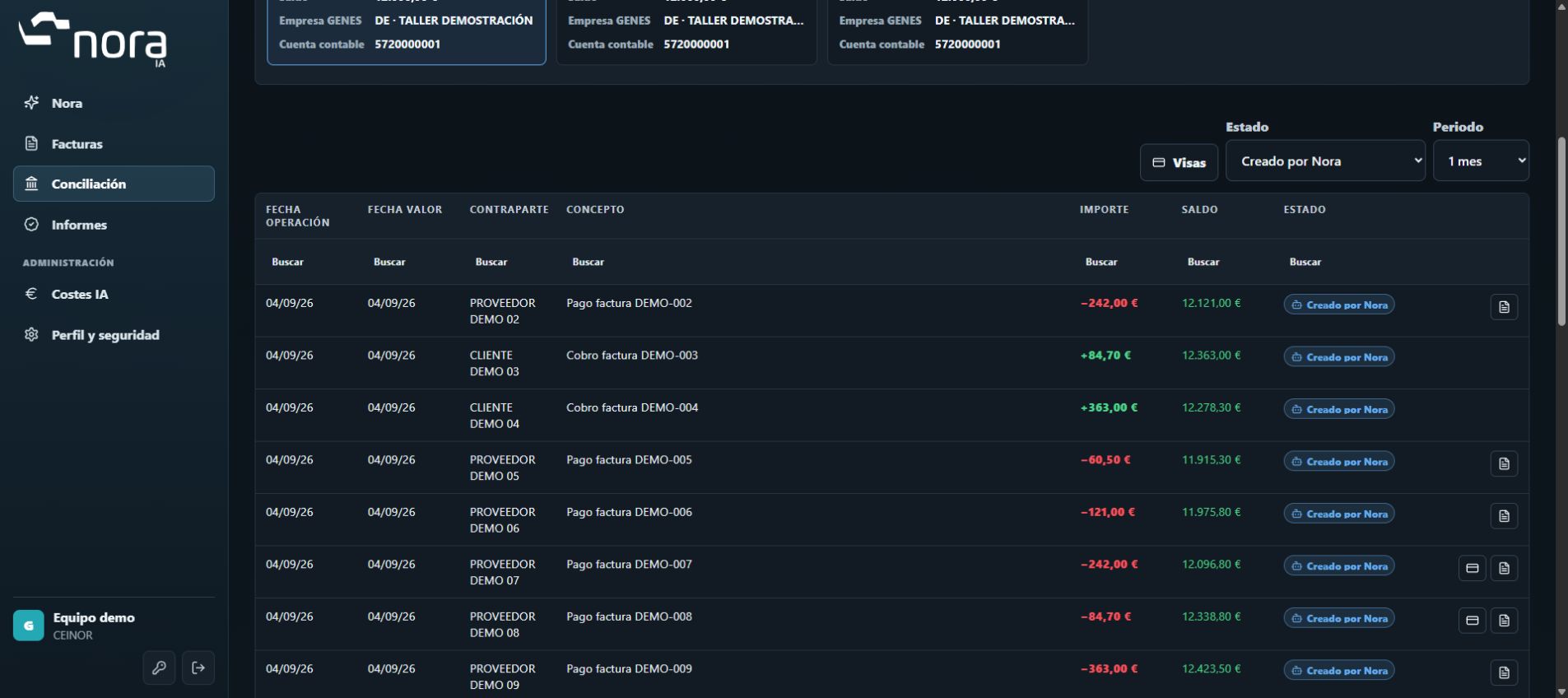
Nora identifies transactions that were already in GENES and tells them apart from those it created.
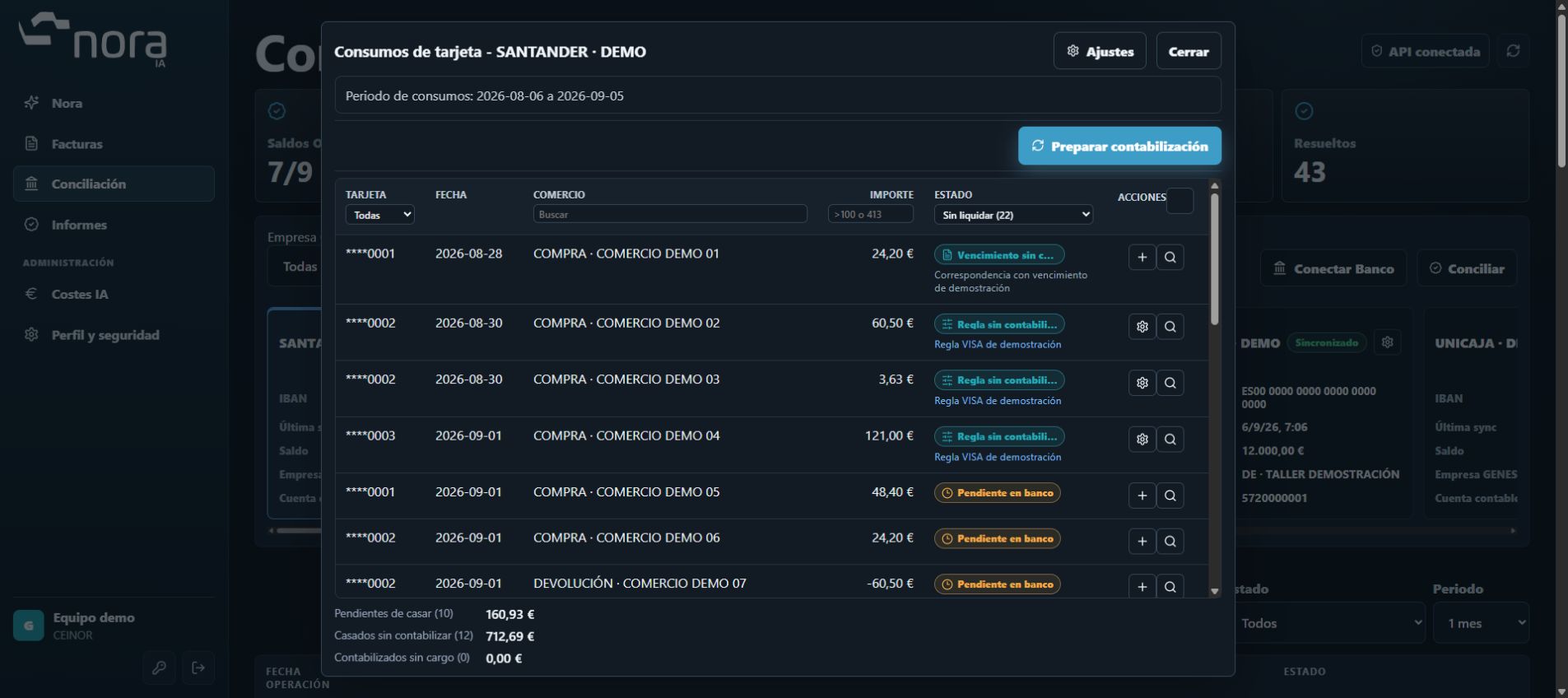
Check your card transactions and filter by card, merchant, amount or status. Tell apart what is pending matching from what is matched but not yet posted.
Relate the VISA charge to its purchases. Check what has been posted to GENES, the pending balance in the clearing account and the alerts that need review.
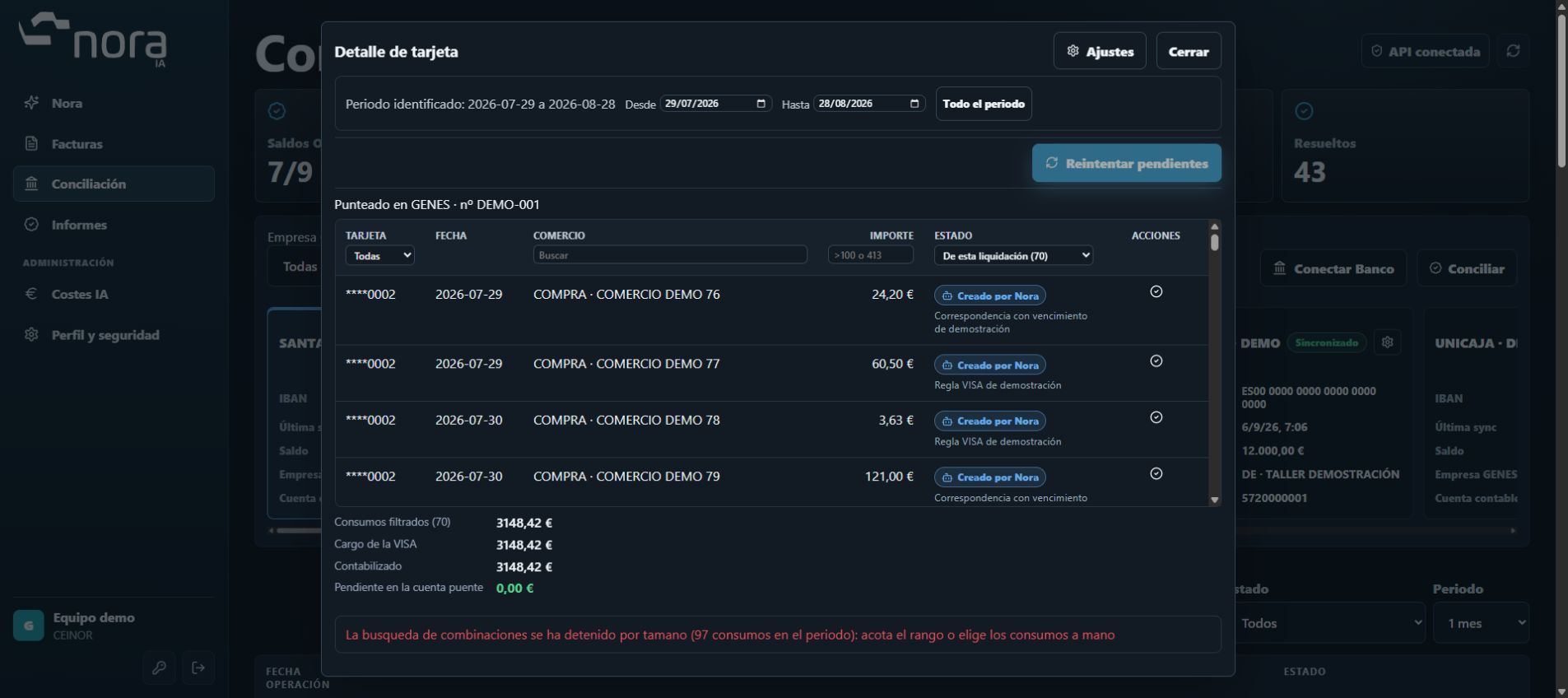
Nora doesn't just reconcile. It reads each invoice, proposes its data and creates it in GENES; it matches bank and card transactions and generates the receipts, payments and accounting entries your company's rules define.
Compare your current admin with the time you estimate reviewing each document with Nora will take. You set both times.
The starting values are an editable example, not measured times or a savings commitment. Include review, corrections and exceptions in your estimate.
Estimated savings: documents × difference in minutes ÷ 60. Check the times with your own documents in the demo.
Let's check your estimateRead, match and prepare the work. See how Nora turns documents and bank transactions into useful information for your business.
Digitise purchase and sales delivery notes. Nora extracts the header and lines, finds their matches in GENES and prepares the document for review before creation.
Extract supplier or customer, number, date, references, quantities and available amounts.
Find matches by product code, manufacturer reference, EAN or alternative code. Resolve lines that need review.
Check quantities and prices. For unpriced notes, use GENES prices where available.
Check the original and validations. After approval, Nora creates the delivery note in GENES and retains its reference.
Supplier references you confirm can be reused in future notes. Prices proposed by GENES are distinguished from those read from the document.
Connect your accounts through Nora’s banking assistant. View available balances and transactions and link them to the corresponding company and ledger account in GENES.
Search for your bank and follow its login and authorisation process.
Associate each bank account with its company and ledger account in GENES.
Nora synchronises available information according to the schedule and connection status. Reconnect when the bank requires renewed access.
Synchronisation brings transactions into Nora. Reconciliation then compares them with GENES.
Nora matches transactions against GENES in order: existing ledger entries, outstanding amounts and approved rules. Each result retains its status so you can see what happened.
Look for a compatible entry in the GENES account. A match is identified as already in GENES.
Compare amount, payment direction, dates and supplier, customer or document references. A reliable match records the receipt or payment against the amount due, with its accounting in GENES.
For recurring descriptions without a clear outstanding amount, Nora can create the journal entry defined by an applicable accounting rule.
Missing data or an unreliable match leaves the transaction pending or awaiting review.
Illustrative example: a €1,210 bank debit matches an outstanding supplier payment of €1,210. After verifying the match, Nora records the payment in GENES according to the configuration.
Configure how Nora handles recurring descriptions. Define accounting rules and help it recognise the wording used by your bank.
An alias links bank wording to a supplier, customer or document, helping identify the transaction.
Specify the description, direction and counterpart account within the configured company and account scope.
When Nora creates a receipt, payment or journal entry, the transaction is marked as created by Nora. Details show the decision and audit trail where available.
For example, a recurring bank fee can follow an approved rule. An alias alone does not authorise a journal entry.
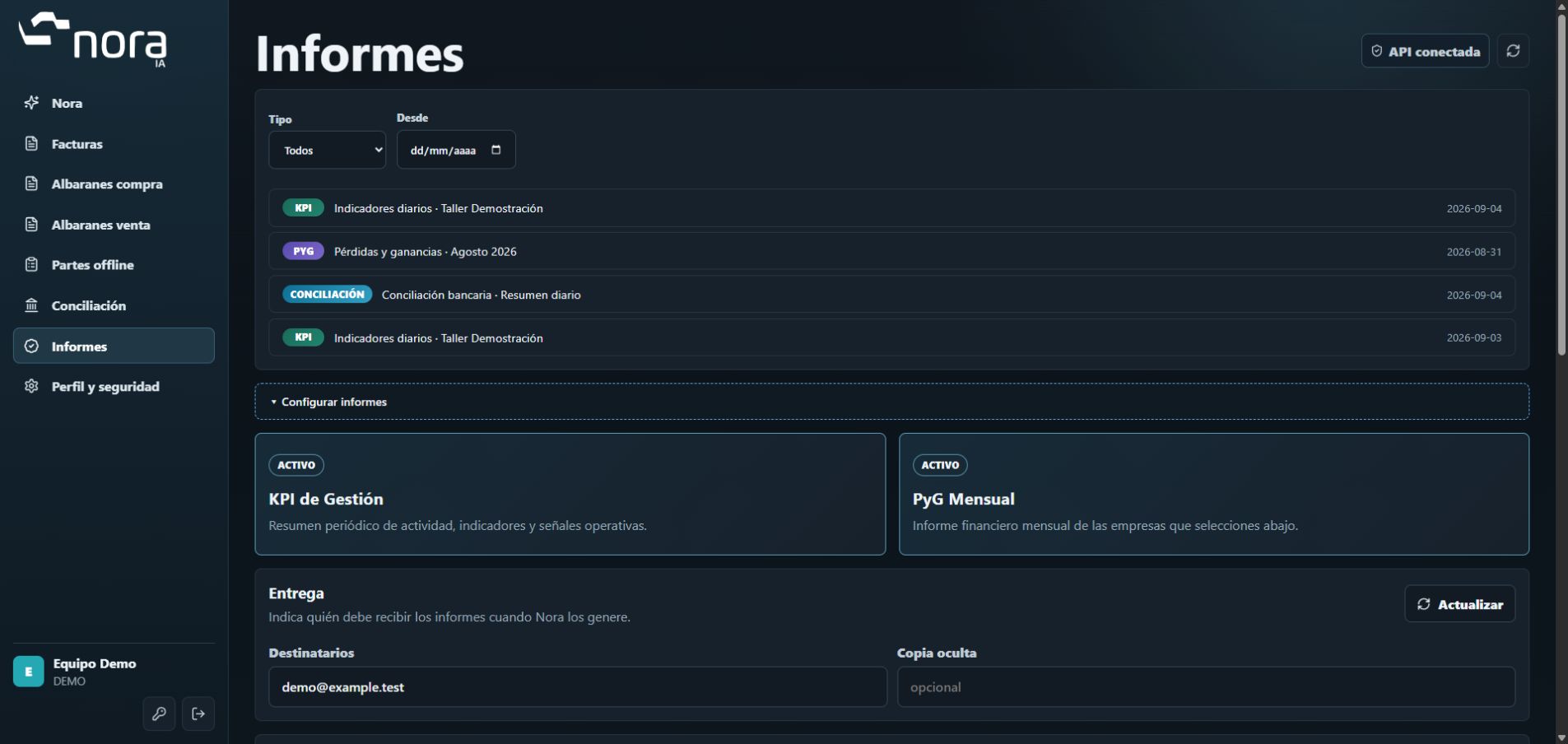
Nora prepares and emails reports to the configured recipients. You can also browse the history and reopen reports in the dashboard.
Sales, margin and workshop activity brought together in a management report.
Income, expenses and results to track the company’s financial performance.
An emailed summary of the work completed on your bank transactions.
Actual Nora templates · Fictional data · Examples in Spanish
Content, included companies, recipients and frequency depend on each company’s modules and configuration.
Start with the process that takes most of your time. The rollout adapts modules and connections to your company.
Check delivery notes and supplier references alongside invoices to review each operation with context.
Check KPIs, profit and loss and previous reports. Set recipients and use the daily summary and the chat to work with the available information.
Prepare job sheets offline and sync them later. Activation is set per user during the rollout.
Your team reviews the documents. Reconciliation applies the permissions and rules defined for your company.
No. It covers invoices, purchase and sales delivery notes, bank reconciliation, management KPIs, financial reports, chat and a daily summary. It also offers offline job sheets. CEINOR defines with you which modules to activate.
Yes, depending on the company's configuration. Rules, permissions and connections with GENES are defined. The scope can include proposals or the automatic creation of receipts, payments and ledger entries.
Daily management KPIs and monthly profit and loss reports, with a choice of companies, sites and recipients and a history of runs.
The invoice and delivery note flow lets you check the document and the extracted data before approving their entry into GENES.
No. The rollout defines modules, companies, users, permissions and integrations. Some features need specific activation; features in pilot are not presented as generally available.
We show you its processes and see how they fit your workshop.
A 20-minute demo, tailored to your workshop. No commitment.